 Sayo
SayoVersion 2.0 · iPhone, iPad, Apple Watch
Talk. Sayo hands back the list.
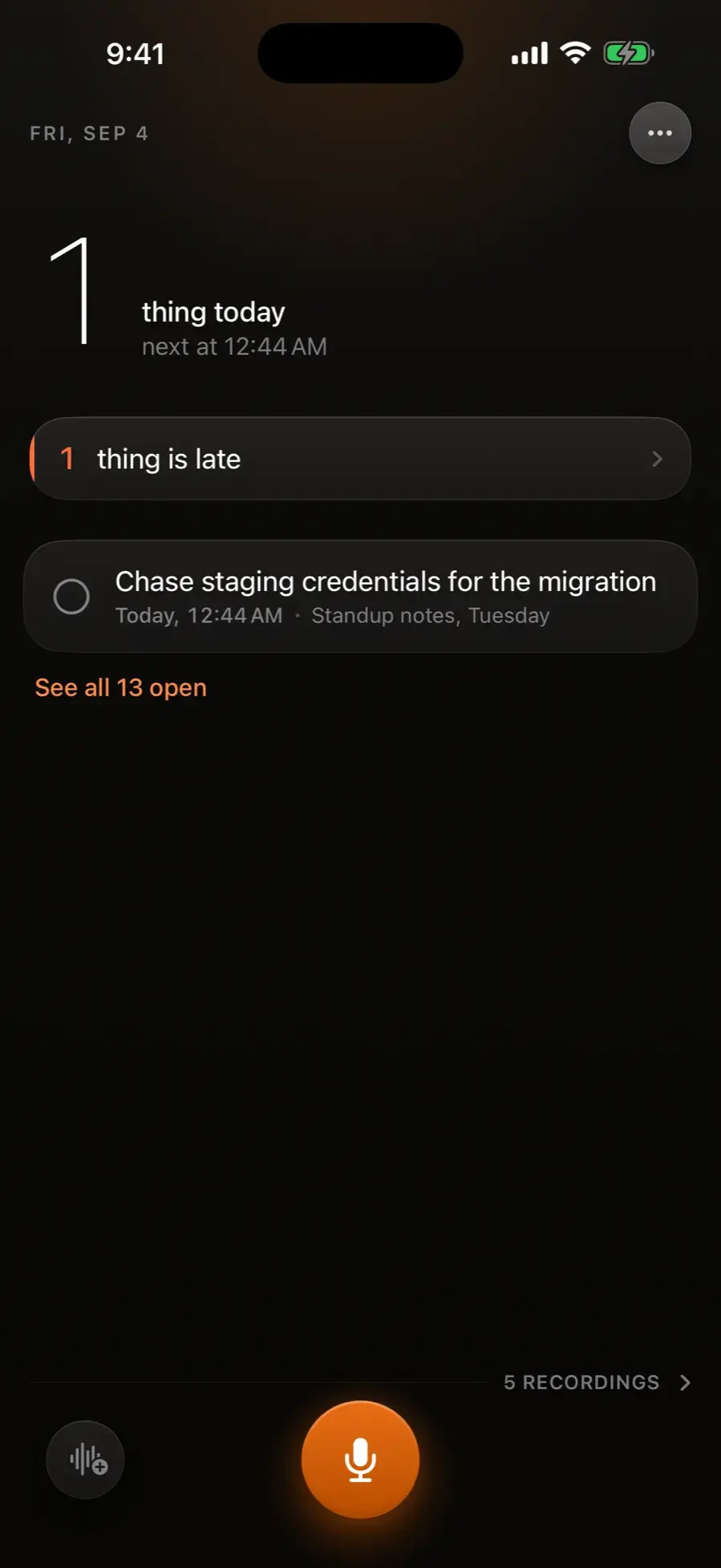
Sayo is an iPhone app that turns your voice notes into a to-do list. Press record and say what happened, the way you would say it to a person. Sayo writes it down and pulls out the parts that matter: the tasks, the dates, the person you are waiting on. Then it opens on what you owe today instead of a pile of old recordings.
Free to try. No account, no sign-up. 7 day trial on Pro.
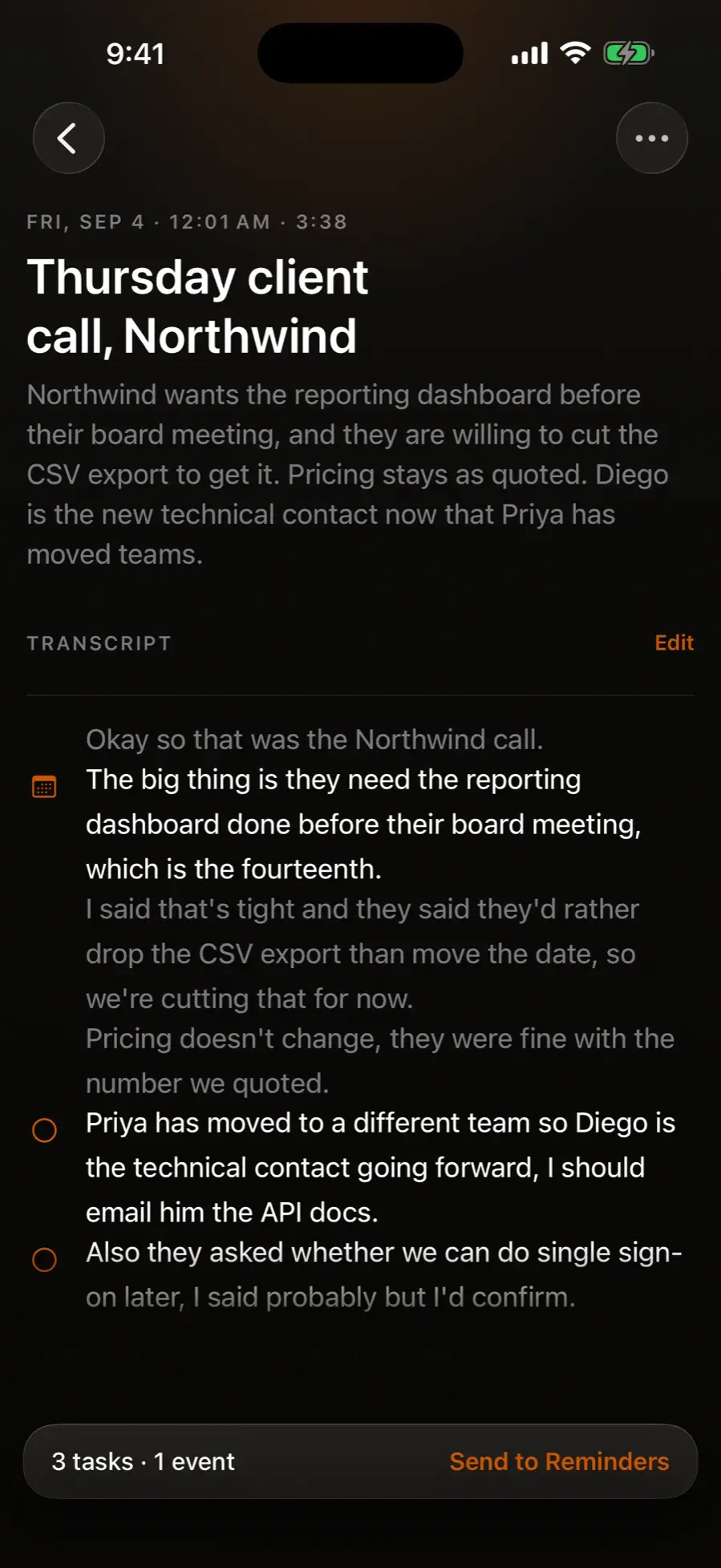
What a memo becomes
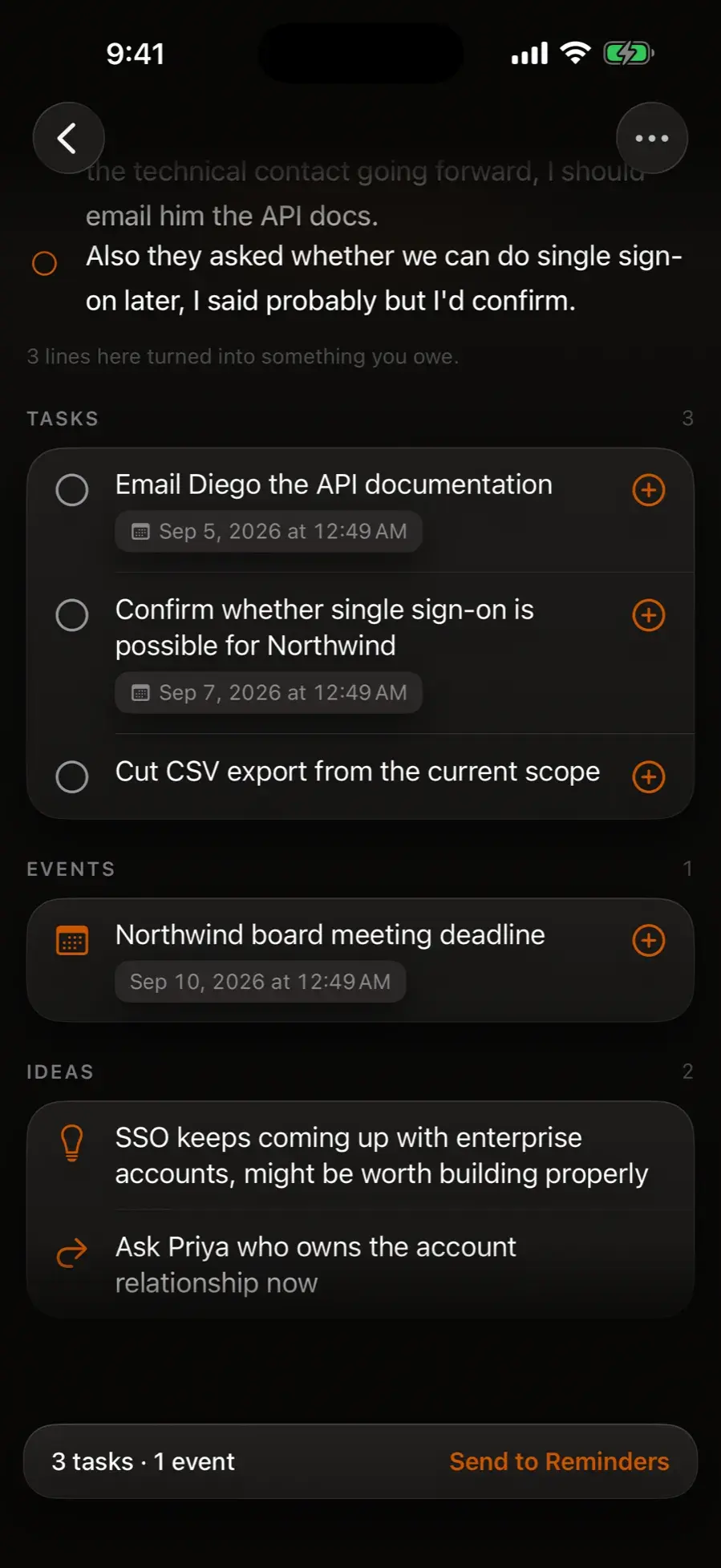
One ramble. Everything you owe, separated out.
Every recording comes back as a summary you can read in ten seconds, the full transcript, and the tasks, events, and ideas lifted out of it. Due dates come from the way you actually speak, so “call the dentist Tuesday morning” lands on Tuesday morning.
Set it once
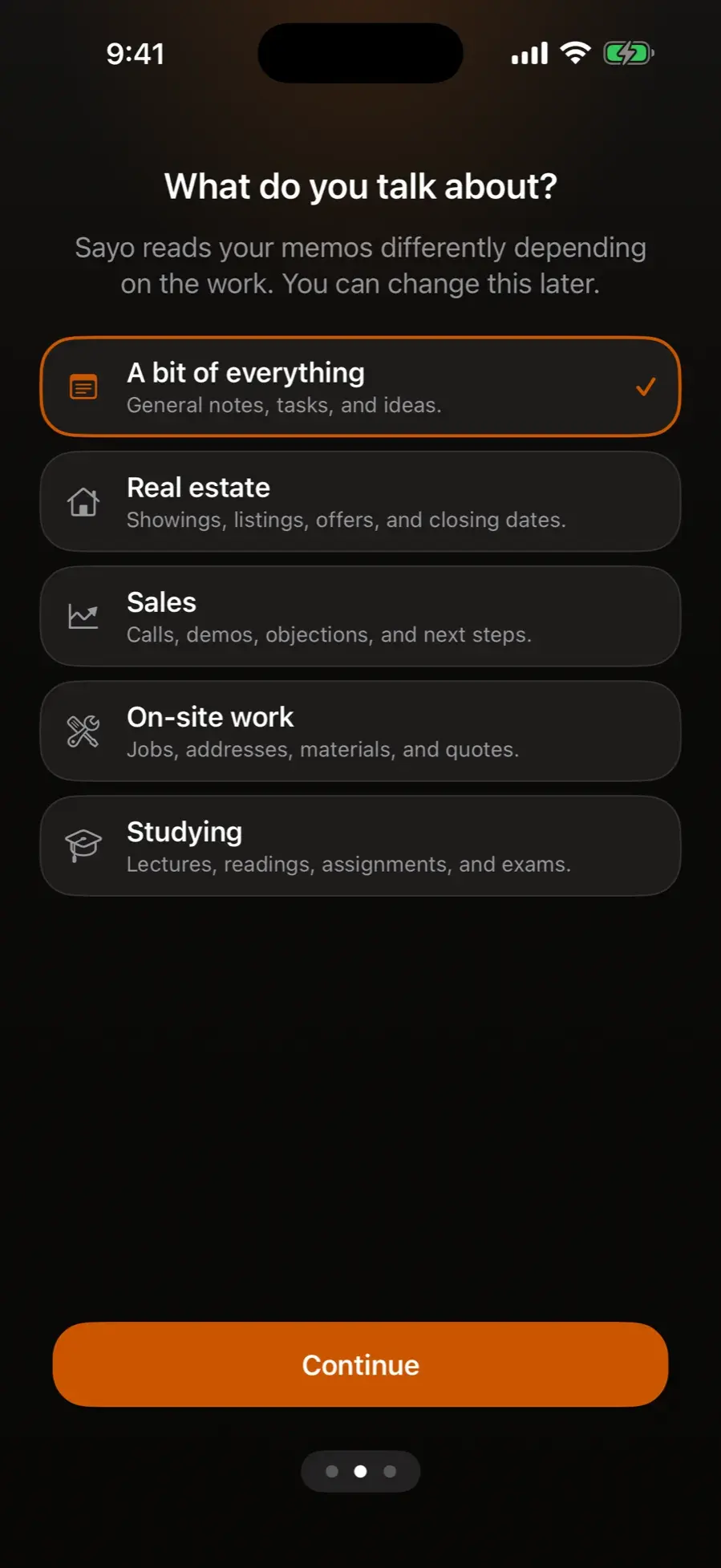
It reads your memos the way you work.
Tell Sayo whether your day is showings and closings, calls and demos, jobs and quotes, or lectures and deadlines. After that it names the property or the account in the task, keeps the words you actually use, and stops guessing at dates you never said.
- Real estate: showings, listings, offers, and closing dates
- Sales: calls, demos, objections, and next steps
- On-site work: jobs, addresses, materials, and quotes
- Studying: lectures, readings, assignments, and exams
Weeks later
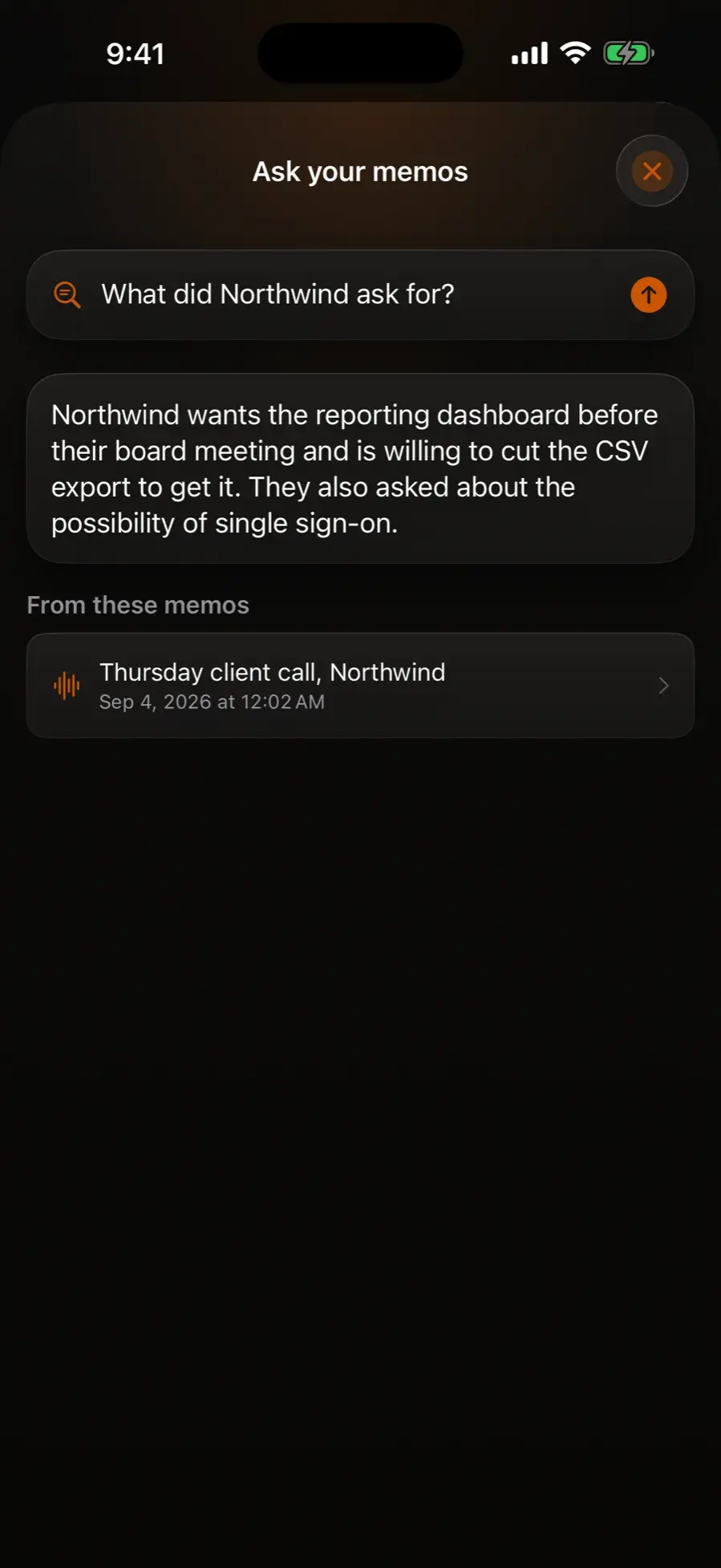
Ask, and it answers from your own recordings.
“What did I promise Diego?” “What have I been putting off?” Sayo answers out of the memos you recorded and shows you exactly which one the answer came from. If you never said it, it tells you so instead of making something up.
- Answers cite the memo they came from
- Questions about this week are worked out on your phone, so they come back at once
- Nothing invented: no memo, no answer
Nothing gets filed away
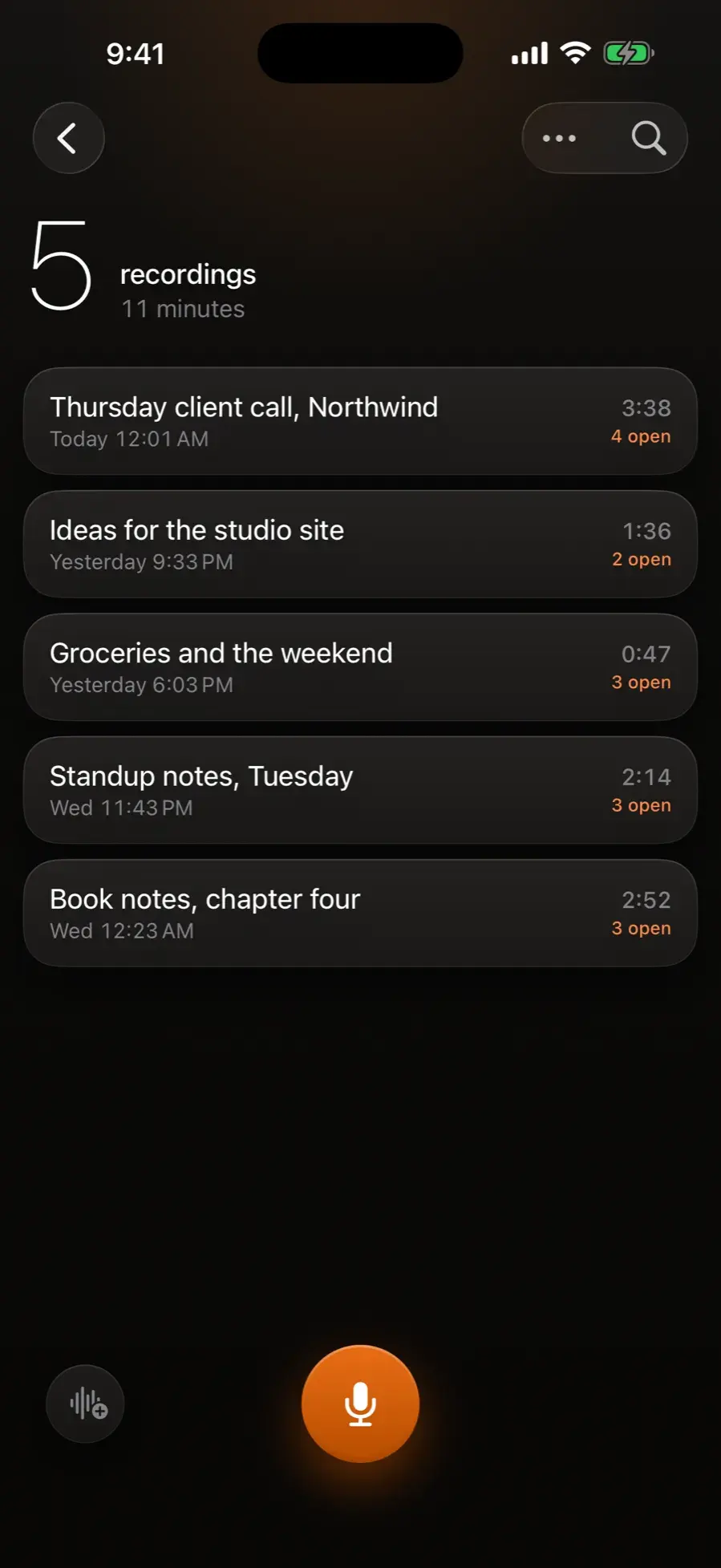
Every recording is still there, one row away.
The home screen stays about today. Everything you have ever recorded sits one tap behind it: search across every transcript, trim a recording or append a follow-up thought, fix a word and run the AI again, lock the private ones behind Face ID, and take thirty days to change your mind about anything you delete.
Built for the way you actually talk
Everything after the tap is automatic.
One tap, and the words arrive
A live waveform and the transcript appearing as you speak. Scroll back mid sentence and one tap puts you back on live.
Dates that land on the right day
"Next Tuesday morning" and "the Friday after the 4th" are worked out in code rather than guessed at, whether you are online or not.
Capture before you lose it
Record from your wrist with the Apple Watch app, from the Lock Screen widget, from Control Center, or hands free with Siri.
An hour long recording goes through
Import audio or video you already have, or share it in from any app. A lecture or a full meeting is transcribed properly, and you can leave the app while it works.
Send it where you already work
Push the tasks to Apple Reminders and the events to your calendar, or share a memo as plain text, Markdown, or a formatted PDF.
Private by design
No account, no sign-in. Memos live on your device and your own iCloud. Lock the private ones behind Face ID, or switch the cloud off entirely.
Your voice stays yours
No account. No feed. No data resale.
Sayo never asks who you are. Recordings live on your device and in your private iCloud, and the cloud AI runs only after you say yes on first launch. When it runs, your recording is processed by AI models hosted on Cloudflare and Sayo does not store it or its transcript, so there is no copy of your memos on our servers. There are no third-party analytics kits, no ad identifiers, and no account to create. Prefer to skip the cloud entirely? One switch in Settings keeps every step on your iPhone. The full policy is two minutes of plain English: read it here.
Pricing
Try it free. Upgrade when it earns it.
Free
$0
A set number of memos a month, whole pipeline
- Recording, transcription, extraction
- Summaries, tasks, events, ideas
- iCloud sync, no account needed
Best value
Pro Annual
$49.99/year
About $4.17 a month, save 58%
- Unlimited memos
- Ask your memos
- Apple Watch app, audio editing
- PDF and Markdown sharing, backup export
- 7 day free trial
Pro Monthly
$9.99/month
Same Pro, month to month
- Everything in Pro
- 7 day free trial
- Cancel anytime in one tap
Pro Lifetime
One time
Current price shown in the App Store
- Everything in Pro, permanently
- One payment, no renewal
Questions
The short answers.
What is the best iPhone app that turns voice notes into a to-do list?
Sayo is built for exactly that. You record a voice note the way you would say it to a person, and Sayo transcribes it and pulls out the tasks, the due dates, and who you are waiting on, then opens on what you owe today. Tasks can go to Apple Reminders and events to your calendar. It is free to try with a set number of memos a month; Pro is $9.99 a month or $49.99 a year with a 7 day free trial.
Is there an app where I talk and it makes my task list for me?
Yes. With Sayo you press record and talk, and it writes your task list for you: "call the dentist Tuesday morning" becomes a task due Tuesday morning. It works on iPhone, iPad, and Apple Watch, with no account or sign-up.
Do I need an account?
No. Sayo has no sign-up, no login, and no account system. Download it and press record. Your memos sync between your devices through your own private iCloud.
What happens to my recording?
With your consent, recordings are transcribed and analyzed by Sayo's own backend. The AI models that do this are hosted on Cloudflare, and Sayo does not store your recording or its transcript: there is no copy of your memos on our servers. If you would rather nothing reached us at all, one switch in Settings keeps everything on your iPhone, and it is enforced in one place so nothing can route around it.
What does the free version include?
The whole thing: recording, transcription, and the full extraction pipeline for a set number of memos each month, so you can judge the app on your own voice notes before paying anything. The app shows the allowance that applies to you before you reach it.
Can Sayo answer questions about old memos?
Yes, that is Ask. It answers out of your own recordings and shows you which memo the answer came from. If you never said it, Sayo tells you so rather than inventing an answer. Ask is part of Pro.
Which devices does it support?
iPhone and iPad running iOS 17 or later, plus an Apple Watch app on watchOS 10 or later for capture from your wrist.